
Retrofit vs Replace: When to Upgrade Your Mobile Shelving
Most mobile shelving projects start with one question: Do we fix what we have, or start over?
In many cases, retrofitting an existing high-density mobile shelving system is the fastest and most cost-effective path to better performance. In other cases, replacement is the only move that solves the real problem.
Here is a practical way to decide, without guessing.
What “retrofit” actually means
A retrofit is not a cosmetic refresh. It is an upgrade to the parts that drive performance of the mobile system, safety and usability while keeping the core system in place.
Common retrofit scopes include:
-
New drive components or power assist
-
Updated controls and operating modes
-
Modern safety features and sensors
-
Aisle management improvements for multi-user spaces
-
Repairs and tune-ups that restore smooth movement
If the structure is sound and the layout still fits the workflow, a retrofit can deliver a “new system” experience without the disruption of a full replacement.
When retrofitting is usually the right call
Retrofitting makes the most sense when the mobile system is fundamentally healthy, but the user experience is not.
You are likely a good retrofit candidate if:
-
The frames, carriages and shelving are in good condition
-
The system still meets capacity needs, or can meet them with reconfiguration
-
Movement feels stiff, noisy or inconsistent, but not structurally compromised
-
The biggest issues are usability, safety and speed of access
-
You want to minimize downtime and avoid a full room teardown
A simple way to say it: If the bones are good, upgrade the brains.
 Signs your mobile shelving is asking for an upgrade
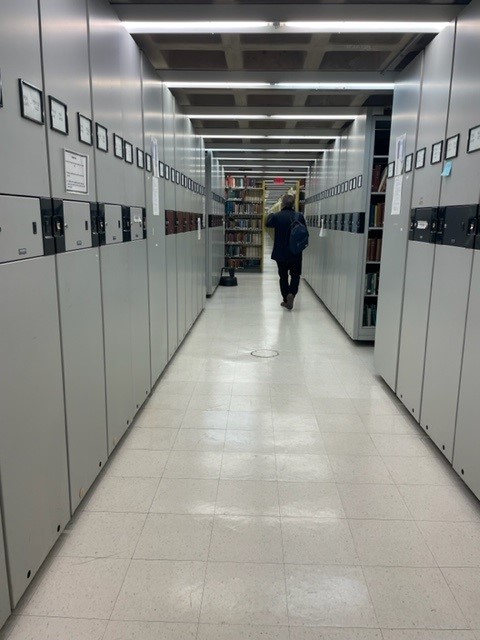
Mobile shelving rarely “fails” all at once. It gets harder to use, then people stop using it correctly.
Watch for:
-
Aisles that are difficult to open or close
-
Users forcing handles or leaning into carriages
-
Carriages drifting, misaligning or stopping short
-
Frequent service calls for the same issues
-
Unsafe behaviors like reaching into moving aisles or bypassing procedures
-
Complaints that the system is “too slow,” especially in shared rooms
Upgrades that deliver the biggest impact
Not every retrofit is worth doing. Focus on improvements that change daily experience.
1) Safety upgrades
Safety should be automatic, not dependent on perfect behavior.
High-impact options can include:
-
Improved aisle detection and stop functions
-
Better warning indicators for moving aisles
-
Updated operating controls that reduce user error
2) Usability and speed
If opening an aisle feels like work, people will avoid using the system properly.
Improvements may include:
-
Power assist or powered movement
-
Smoother starts and stops
-
Controls designed for multi-user environments
3) Access control and accountability
In corporate and legal environments, records access is often as important as storage density.
Consider upgrades that support:
-
Controlled access by area or user type
-
Clear “open aisle” visibility and status
-
Operating modes that reduce disruption in shared spaces
4) Reconfiguration and cleanup
Sometimes the best upgrade is rethinking how the storage is used.
That can include:
-
Rebalancing shelf heights and bay assignments
-
Fixing labeling and indexing that drives misfiles
-
Creating zones for active, inactive, and hold-status records
When replacement is the smarter investment
Retrofitting is not a magic trick. Sometimes the mobile system should be replaced because the underlying conditions are no longer functional.
Replacement is often the right call when:
-
The structure is damaged, corroded or warped
-
Rails, floor interfaces or carriages are compromised
-
The layout no longer matches current use
-
Capacity needs have changed significantly
-
Compliance or safety expectations cannot be met with upgrades
-
You are planning a renovation or relocation and need a different configuration
If the room’s workflow has changed, a retrofit can modernize the mobile system but still leave you with the wrong layout.
The costs people forget to compare
The real retrofit vs replace decision is not just equipment cost. It is operational disruption.
Consider:
-
How long the room can be partially unavailable
-
The cost of moving and staging files during work
-
Temporary storage needs
-
Access interruptions for staff who rely on the room daily
-
Risk of misfiles and losses during a full teardown
Retrofitting often wins when continuity matters.
Replacement often wins when you need a new layout, not just better mechanics.
A quick decision framework you can actually use
If you want a simple gut-check, rate each item below as “Yes” or “No.”
Retrofit is favored if:
-
The structure is in good condition
-
The room layout still works
-
You mainly need better safety and usability
-
You need minimal downtime
-
You want improved access control without rebuilding the room
Replacement is favored if:
-
There is structural damage or chronic alignment issues
-
Capacity needs have outgrown the current footprint
-
The room workflow has changed dramatically
-
You are renovating or relocating
-
The current system cannot meet safety expectations
If you have more than two “replacement” answers, it is usually worth exploring a new system design.
How to start without overcommitting
You do not need a full engineering study to take the first step. You need a short, honest assessment.
A good first pass includes:
-
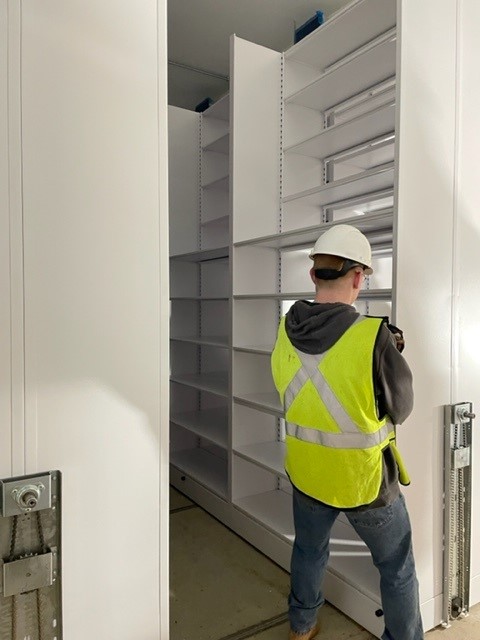
Photos of rails, carriages and controls
-
Notes on where users struggle and when congestion happens
-
A basic inventory of what is stored and how often it is accessed
-
Any known service history or recurring issues
-
A quick look at how many people need aisle access at the same time
From there, it becomes clear whether the best outcome comes from upgrades, reconfiguration or a clean redesign.
Make the decision with data, not frustration
At O’Brien Systems, we help teams evaluate existing mobile shelving with a simple goal: determine whether a retrofit will solve the real problem, or whether replacement is the only path to a better layout and long-term performance.
If you are weighing an upgrade, we can review your current mobile system and help you map the smartest next step.